How to Convert to JPG on Windows & Mac
Updated August 31, 2026
JPG is the format the whole world accepts, so "convert to JPG" is really "make this image work everywhere." The starting point varies: HEIC photos off an iPhone, WEBP images saved from the web, PNGs too big to email.
ConvertSave handles all of them in one window, on Windows and Mac, offline. Drag any mix of images in, pick JPG, convert.
How to convert any image to JPG
- 1
Drag your files into ConvertSave
Open ConvertSave and drag your images into the window. You can drop one file or a whole selection at once. There is no upload step, because the files never leave your computer.
- 2
Choose JPG as the output format
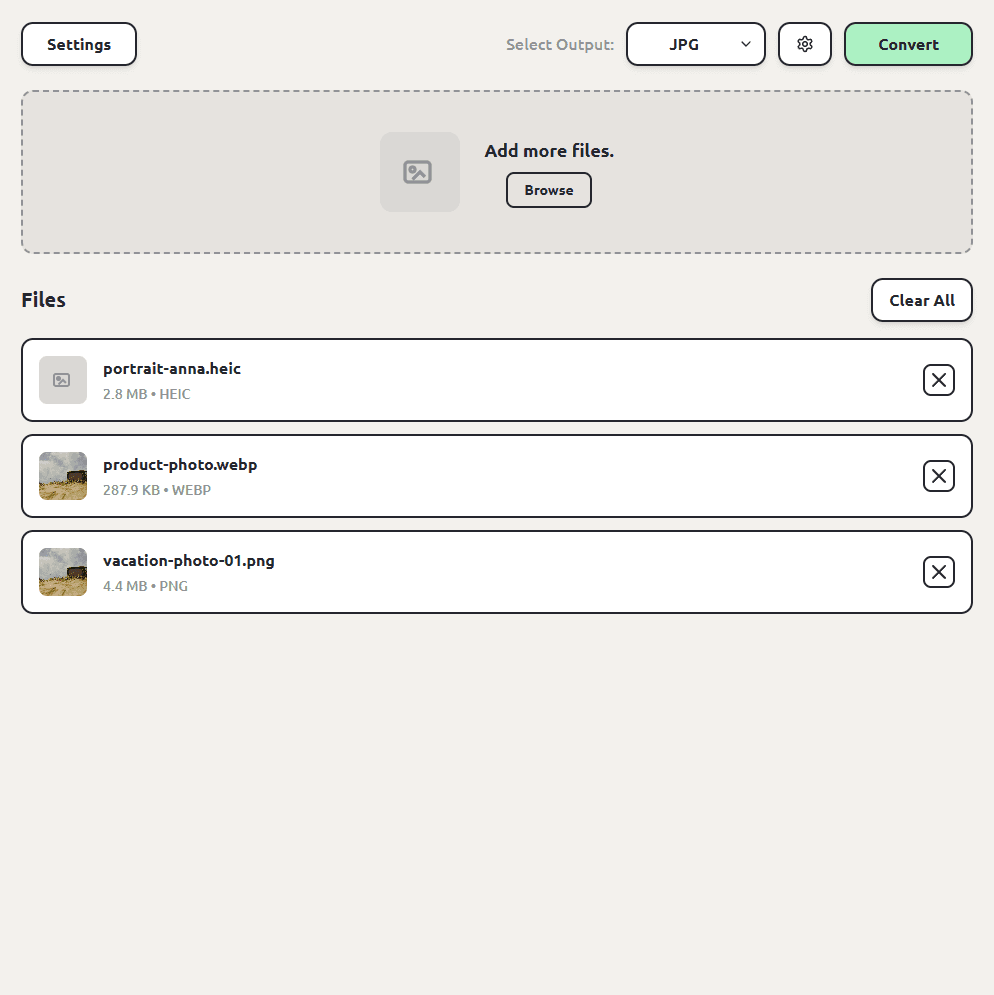
Pick JPG from the format list. ConvertSave shows the formats that make sense for the files you dropped, so JPG is right there.
- 3
Click Convert
Hit the Convert button. Each JPG file is saved next to the original, so you don't have to hunt through folders to find your converted files. The originals are left untouched.
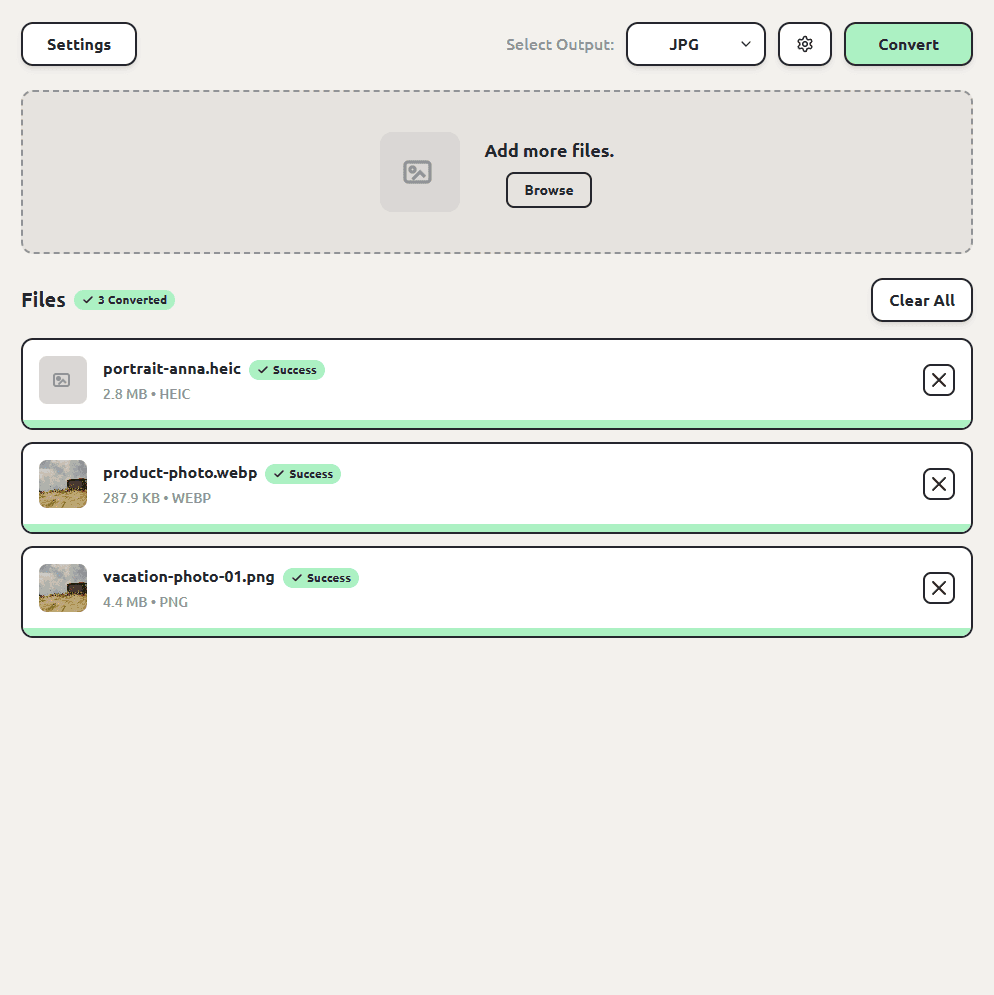
The screenshots show a HEIC, a WEBP, and a PNG converting together. Any mix of image formats works the same way, and each JPG lands next to its original.
JPG or JPEG? They're the same thing
JPEG is the format; JPG is the same format wearing a three-letter extension from the DOS era. ConvertSave offers both spellings as outputs so you can produce whichever a picky upload form demands, but the image data is identical.
How to convert to JPG on Windows
Windows struggles most with HEIC photos from iPhones, which may not even preview without a paid codec. Drag them into ConvertSave with whatever else needs converting, pick JPG, and everything comes out usable.
How to convert to JPG for free
The 7-day free trial covers everything, including batch conversion, and your photos never leave your computer, which is more than can be said for the free image converter websites.
Batch converting to JPG
Select the whole folder, drag it in, pick JPG once. We've tested batches of up to a thousand files, so a camera roll is no problem.
Is converting to JPG safe?
The risk with converting your photos to JPG isn't the conversion itself, it's where the conversion happens. Free converter websites work by uploading your file to someone else's server. You usually can't tell who runs the server, where it is, or how long your file sticks around after the conversion finishes. For personal videos and photos that's a real privacy trade, and it's the reason so many of those sites are covered in aggressive ads.
ConvertSave does the conversion on your own computer. Nothing is uploaded anywhere. You can turn off Wi-Fi entirely and it still works, which is also the easy way to verify the claim. Your original file is never modified, and the converted copy is written right next to it.
Frequently asked questions
Which formats can I convert to JPG?
HEIC, WEBP, PNG, BMP, TIFF, GIF, AVIF, and most other image formats, in any mix, in one queue.
Does converting to JPG lose quality?
JPG is lossy, so conversion re-encodes the image at high quality. For sharing, printing, and uploading you won't notice. For lossless output choose PNG instead.
Should I pick JPG or JPEG as the output?
Either; they're the same format. Match whatever the site or software you're feeding asks for.
Do my photos get uploaded anywhere?
No. ConvertSave converts on your computer and works offline. Your photos never leave your machine.
Is ConvertSave free?
There's a 7-day free trial with all features unlocked. After that it's $9/month, $60/year, or $129 once for a lifetime license that covers 3 personal devices on Mac and Windows.